Selling AI-Generated SVGs on Etsy: The Complete Compliance Guide (2026)
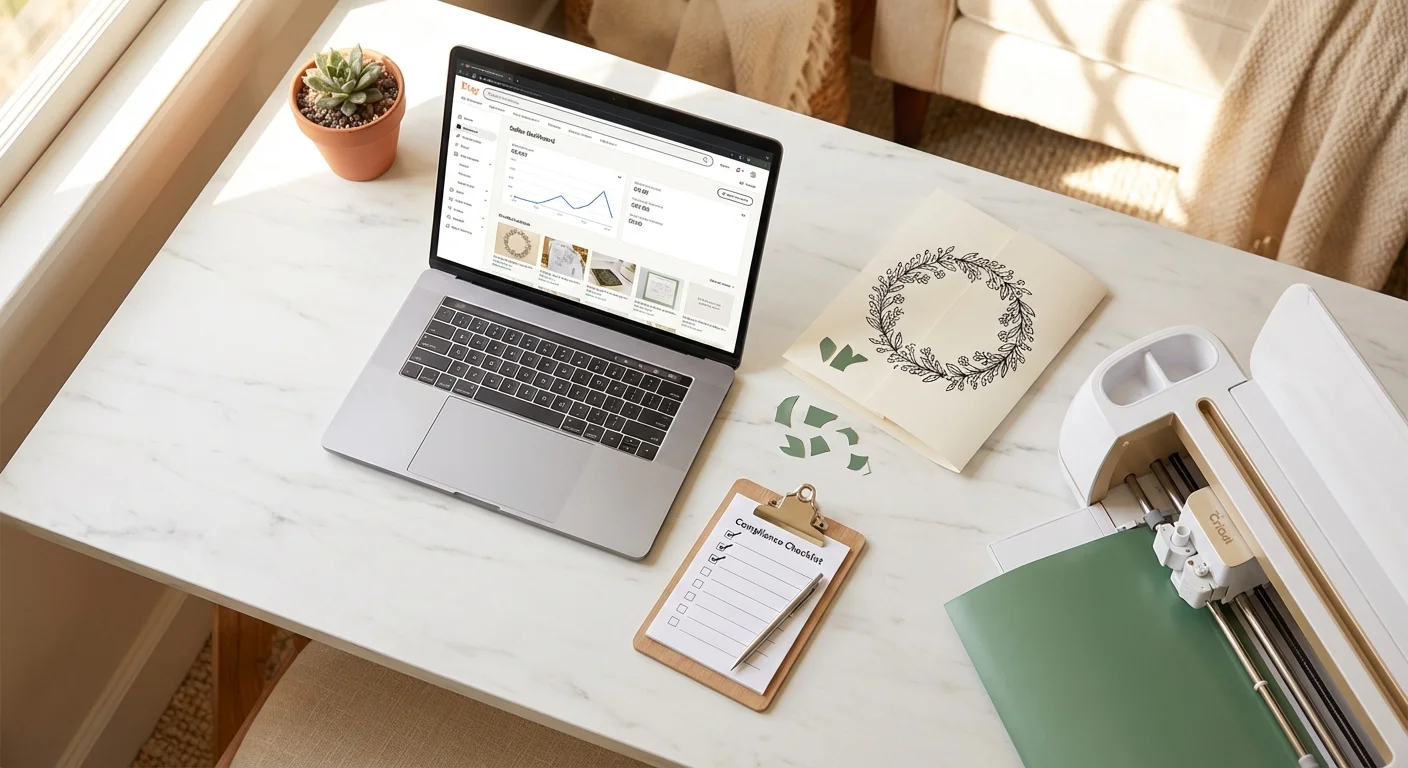
Over 17,000 Etsy listings were removed in early 2025 for AI disclosure violations. In June 2025, Etsy tightened its Creativity Standards again, this time targeting digital downloads and computerized items specifically. If you sell SVG cut files, PNG clipart, or any digital design on Etsy, you need to understand these rules or risk losing your listings and your shop.
This guide covers what Etsy actually requires, what counts as AI-generated vs. AI-assisted, how to disclose properly, and copy-paste language you can add to your listings right now.
Etsy’s AI Policy: What It Actually Says
Etsy first added AI-generated item guidelines in July 2024, then tightened enforcement through 2025. On June 10, 2025, they dropped a major Creativity Standards update that blindsided thousands of sellers. Here’s where things stand now.
You can sell AI-generated designs on Etsy. This is not banned. Etsy explicitly allows sellers to use AI tools to create products. Incoming CEO Kruti Patel Goyal compared AI tools to “using a loom instead of hand-weaving.”
You must disclose AI involvement. Every listing where AI played a role in creating the product must state this clearly in the description. This is mandatory.
You must label the listing correctly. AI-created products must be categorized as “Designed by” in the Item Details dropdown, not “Made by” or “Handmade.”
You must use your own original prompts. Etsy requires that the creative direction comes from you. Copying someone else’s prompts and selling the output violates the policy.
You cannot sell AI prompts. Prompt bundles, prompt guides, and prompt collections are explicitly banned. Etsy removed twice as many of these in 2024 compared to 2023.
The June 2025 Update: What Changed
On June 10, 2025, Etsy quietly removed seven words from their Creativity Standards: “or using a templated design or pattern.” The updated policy now requires all items to be “based on a seller’s original design.”
This was applied retroactively with no grace period, and it hit three groups hard:
- AI artists using purchased prompt packs suddenly violated policy, even with commercial licenses
- POD sellers using template-based design systems were flagged across entire catalogs
- 3D printing sellers using licensed STL files faced removal
For SVG sellers, the takeaway is clear: your designs must originate from your own creative direction, whether that’s your own artwork, your own prompts, or your own compositions. Licensed clip art bundles reassembled into “new” designs are now risky.
What Counts as AI-Generated vs. AI-Assisted?
This is where most sellers get confused.
AI-Generated (Disclosure Required)
Any design where AI produced the visual output:
- You type a text prompt, AI generates an image, and you sell it as an SVG
- You use an AI tool to create a pattern, illustration, or lettering design from scratch
- You generate multiple AI images and combine them into a bundle
This includes text-to-SVG tools. If you describe a design in words and AI creates it, that’s AI-generated content. Full disclosure required.
AI-Assisted (Disclosure Still Required)
Any design where AI was part of the process, even if you did significant work:
- You photograph your own hand-drawn artwork and use an AI-powered tool to convert it to SVG
- You create a design manually and use AI to upscale, clean up, or enhance it
- You use AI to generate a base design, then heavily edit and refine it in Illustrator or the Lineart.ink editor
Key point: If AI was used in any part of the design process, disclosure is required. Etsy makes no exception for “minor” AI involvement.
Not AI (No Disclosure Needed)
- You draw a design by hand and manually trace it in Illustrator or Inkscape
- You use non-AI auto-trace tools (like Inkscape’s built-in trace bitmap) on your own original artwork
- You photograph your own artwork and sell the photo as-is
The Gray Area: Image-to-SVG Conversion
This is where it gets nuanced for SVG sellers using tools like Lineart.ink.
- Your own artwork, vectorized with AI: You drew it, AI converted the format. This is AI-assisted. Disclose it, but your creative contribution is clear and strong.
- Someone else’s photo, vectorized with AI: You didn’t create the source image. This raises both AI disclosure and originality concerns.
- Text prompt to AI-generated image to vector: This is fully AI-generated. The AI created the visual content. Full disclosure required.
Our recommendation: Always disclose. It takes 30 seconds to add a disclosure line, and listings with proper disclosure are significantly less likely to be flagged. The risk of not disclosing is losing your listing or your shop.
How to Disclose Properly
Etsy’s policy says sellers must “disclose within their listing description” if AI was used. But vague terms like “digitally designed” or “modern aesthetic” are not sufficient. Here’s what actually works.
Step 1: Select the Right Category
In your listing’s Item Details dropdown, select:
- “Designed by [your shop name]” for AI-generated or AI-assisted designs
Do NOT select “Made by” or “Handmade” for AI-created work. This mismatch is one of the most common reasons listings get flagged.
Step 2: Add Disclosure to Your Description
Place your disclosure in the first few lines of your listing description, not buried at the bottom. Be specific about what AI did and what you did.
Step 3: Use Clear, Specific Language
Here are copy-paste disclosure templates you can use today.
For text-to-SVG designs (fully AI-generated):
This design was generated using AI image generation tools based on my original creative prompt, then converted to a clean SVG vector file. I curated, refined, and quality-checked the final output to ensure it meets cut-ready standards for Cricut and Silhouette machines.
For photo/artwork-to-SVG conversion (AI-assisted):
This SVG was created from my original [artwork/photograph/illustration] using AI-powered vectorization tools. The source artwork is my own original creation. AI was used to convert the image to a clean, scalable vector format suitable for cutting machines.
For heavily edited AI base designs:
This design started as an AI-generated base image created from my original prompt. I then extensively edited, modified, and refined the design using vector editing software to create the final product you see here. AI was used as a starting point in my creative process.
For bundles with mixed methods:
This bundle contains designs created using a combination of hand-drawn elements and AI-assisted tools. Each design was curated, edited, and quality-checked by me. Where AI tools were used in the creation process, they were guided by my original creative direction.
What Gets Your Listings Removed
Based on Etsy’s enforcement patterns in 2025-2026, here’s what triggers removal.
High Risk (Likely Removal)
- No AI disclosure at all when AI was clearly used
- “Made by” or “Handmade” category on AI-generated listings
- Mass uploads of similar AI-generated designs (50+ per day triggers spam filters)
- Selling AI prompts in any form
- IP infringement like AI-generated designs resembling trademarked characters, logos, or copyrighted artwork
- Low-effort bulk generation with no human curation or editing
Medium Risk (May Be Flagged)
- Vague disclosure language like “digitally designed” instead of explicitly mentioning AI
- Disclosure buried at the bottom of a long description
- Using third-party templates or prompts instead of your own original direction
- Inconsistent categorization across your shop, with some listings “Designed by” and others “Made by”
Lower Risk (Generally Safe)
- Clear disclosure in the first few lines of the description
- “Designed by” category properly selected
- Original prompts or artwork as the creative source
- Fewer, higher-quality listings rather than bulk uploads
- Evidence of human editing and curation in the final product
Etsy’s Algorithm Now Penalizes Bulk AI Uploads
Beyond policy enforcement, Etsy’s search algorithm has changed how it ranks AI-heavy shops:
- Uploading 50+ similar items daily triggers spam filters
- Shops uploading fewer than 5 high-quality items per week rank higher than bulk-uploaders
- “Low-effort” shops face suppression in search results, even if they’re technically compliant
Quality and curation matter more than volume.
Etsy’s Enforcement: What to Expect
Automated Detection
Etsy uses automated tools to flag potentially non-compliant listings. According to Etsy’s own 2025 Seller Transparency Report, their AI detection system flags approximately 38% of borderline cases incorrectly. Even compliant sellers sometimes get flagged.
What Happens When You’re Flagged
- Listing deactivated. Your listing is removed from search and marked as a policy violation.
- Shop warning. Repeated violations lead to account-level warnings.
- Star Seller impact. Flags can affect your Star Seller status, sometimes permanently even after the flag is resolved.
- Shop suspension. Systematic violations (dozens of undisclosed AI listings, prompt selling, IP infringement) can lead to permanent shop closure.
The False Positive Problem
This is the part that scares even compliant sellers. Etsy’s automated detection has documented issues:
- Sellers with 25,000+ sales and 5-star ratings have received violation notices for genuinely handmade items
- One seller with 300+ listings and 100,000+ sales had original enamel pin designs flagged despite using their own photography
- After weeks of appeals, Etsy confirmed the flags were errors, but the seller’s Star Seller badge was permanently removed. Etsy told them they “can’t reinstate it even though we made the mistake”
This is why documentation matters. Even if you’re doing everything right, you may need to prove it.
The Appeals Process
In Fall 2025, Etsy rolled out a listing appeals feature:
- Go to Shop Manager, then Policy Violations
- Select the removed listing
- Submit your appeal with evidence of compliance (screenshots of your disclosure, proof of original artwork, etc.)
- You have 90 days from removal to file an appeal (for Creativity Standards violations after July 15, 2025)
- Etsy reviews within 5-10 business days
Pro tip: Keep records of your creative process. Save your original prompts, source artwork, editing screenshots, and before/after comparisons. If you’re ever flagged, this documentation makes your appeal much stronger.
Image-to-SVG vs. Text-to-SVG: Which Is Safer for Etsy?
If you’re an SVG seller weighing your options, here’s the practical breakdown.
Image-to-SVG (Converting Your Own Artwork)
Compliance level: Strongest
When you start with your own hand-drawn artwork, photograph, or illustration and use an AI-powered tool to convert it to SVG format:
- Your creative contribution is clear and documented. You made the original.
- AI is functioning as a format conversion tool, not a content creator
- The original artwork serves as strong evidence of human authorship
- Still requires AI disclosure (the conversion tool uses AI), but your position is very strong
Best for: Crafters who draw their own designs, artists with existing portfolios, sellers who photograph their own products.
Text-to-SVG (AI Generates the Design)
Compliance level: Requires careful handling
When you describe a design in words and AI generates it:
- The visual content is AI-generated, so full disclosure is non-negotiable
- Your creative contribution is in the prompt, curation, and refinement
- Must be categorized as “Designed by,” never “Made by”
- Editing the AI output in a vector editor strengthens your position significantly
Best for: POD sellers generating designs at scale, sellers testing new niches, creating seasonal designs quickly.
The Strongest Position: Combine Both
The most defensible approach for Etsy compliance:
- Start with your own original artwork (even a rough sketch)
- Use AI to convert it to a clean vector
- Edit and refine in the SVG editor
- Disclose the AI-assisted conversion in your listing
This gives you original human-created artwork, AI as a tool, and human refinement on top. That’s a position Etsy can’t argue with.
Copyright Considerations
Beyond Etsy’s own rules, there’s a broader legal landscape worth understanding.
The U.S. Copyright Office Position
The U.S. Copyright Office has maintained that purely AI-generated images may lack copyrightable elements and could be treated as effectively public domain. Copyright protection requires “significant human authorship,” roughly estimated at 30% or more human modification or creative contribution.
What this means for you:
- A raw AI-generated design may not be copyrightable by itself
- Adding hand-designed elements, combining multiple generations, or extensively editing AI output strengthens your copyright claim
- Starting with your own original artwork and using AI for conversion is the strongest copyright position
- Document your creative process as evidence of human authorship
How to Strengthen Your Copyright Claim
If you want legal protection for your AI-assisted designs:
- Add hand-designed text overlays or hand-drawn elements
- Combine multiple AI generations into original compositions
- Apply manual edits like adjusting paths, modifying shapes, and adding custom details in the SVG editor
- Start from your own artwork. Converting your own drawing to SVG gives you the strongest position
- Document everything. Save your source files, prompts, and editing process as evidence of human authorship
Practical Implications
- Other sellers could potentially copy your purely AI-generated designs without legal consequence
- Investing time in editing and customizing your AI outputs isn’t just good for Etsy compliance, it also protects your business legally
- Bundles with hand-drawn elements mixed with AI-generated designs have stronger protection than purely AI bundles
- The training data used by AI models may contain copyrighted images, and the end user carries the risk of unknowing infringement, so always review your outputs for similarity to existing works
A Compliance Checklist for Every Listing
Before you hit publish on any SVG listing where AI was involved, run through this:
- Category is set to “Designed by [shop name]” (not “Made by” or “Handmade”)
- AI disclosure is in the first 3 lines of your description
- Disclosure language explicitly mentions AI (not just “digitally designed”)
- Original prompts or artwork used. You created the creative direction, not copied it
- No trademarked content. Checked USPTO database for phrases and characters
- No copyrighted characters. Even “inspired by” versions of Disney, Marvel, etc.
- Tags include relevant keywords like “SVG,” “cut file,” “Cricut,” “Silhouette,” plus descriptive terms
- Multiple file formats included. SVG + PNG + DXF minimum for cut file listings
- Process documentation saved. Original prompts, source artwork, editing screenshots
The Bottom Line
Etsy isn’t banning AI. They’re requiring transparency. The sellers who get in trouble are the ones who try to hide AI involvement, mass-upload without curation, or misrepresent AI art as handmade.
The safest approach for SVG sellers:
- Use your own artwork as the source whenever possible
- Disclose everything. It takes 30 seconds and protects your shop
- Edit and refine AI outputs to add genuine human creative value
- Quality over quantity. Curated shops rank higher than bulk-upload farms
- Keep records of your creative process for appeals
AI-powered tools make it possible to go from a photo or an idea to a cut-ready SVG in minutes. That’s a real productivity advantage. Just be transparent about how you got there, and Etsy will have no issue with your shop.
Related Guides
- How to Convert a Photo to SVG for Cricut
- How to Create Text-Based SVGs for Print on Demand
- PNG vs SVG: Why Your Cutting Machine Needs Vector Files
- Best Image to SVG Converters Compared
- Made for Etsy sellers: Create SVG cut files for your Etsy shop
100 free credits. Full quality output, no watermarks. Start with your own artwork for the strongest Etsy compliance.
Convert Your First Design